Independent craft tool / Also by this creator
Bead Pattern Studio
Make a pattern from your own picture, or pick a ready-made design. The $4.90 USD offline editor includes all 80 patterns with printable PDFs, PNGs and editable projects. Try 8 free starters first.
Free demo + $4.90 USD one-time offline edition
Software interface: English and Simplified Chinese. These language options translate the product page.
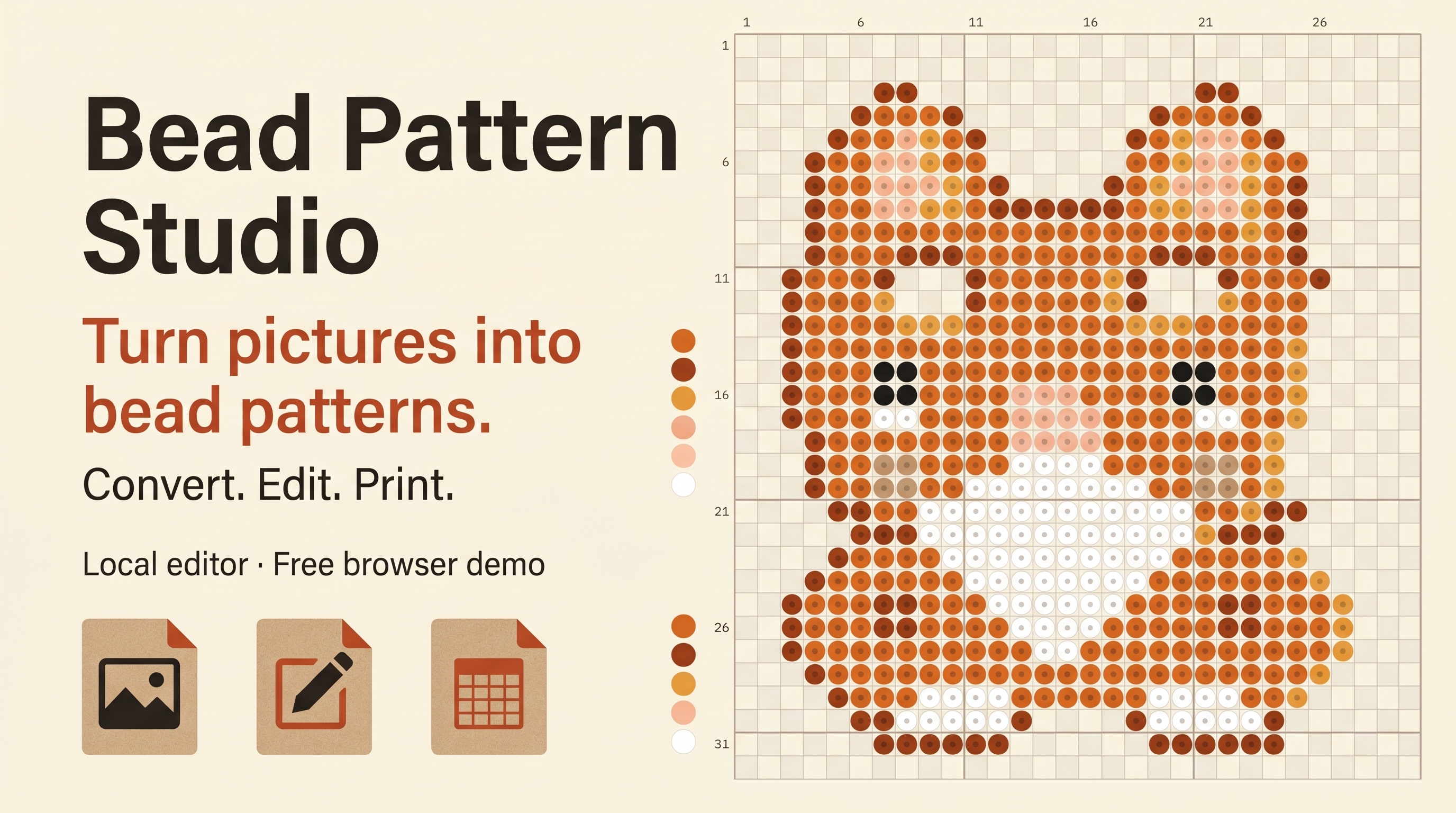
Released Nov 2, 2026 · desktop browser · minimum 1280 × 800
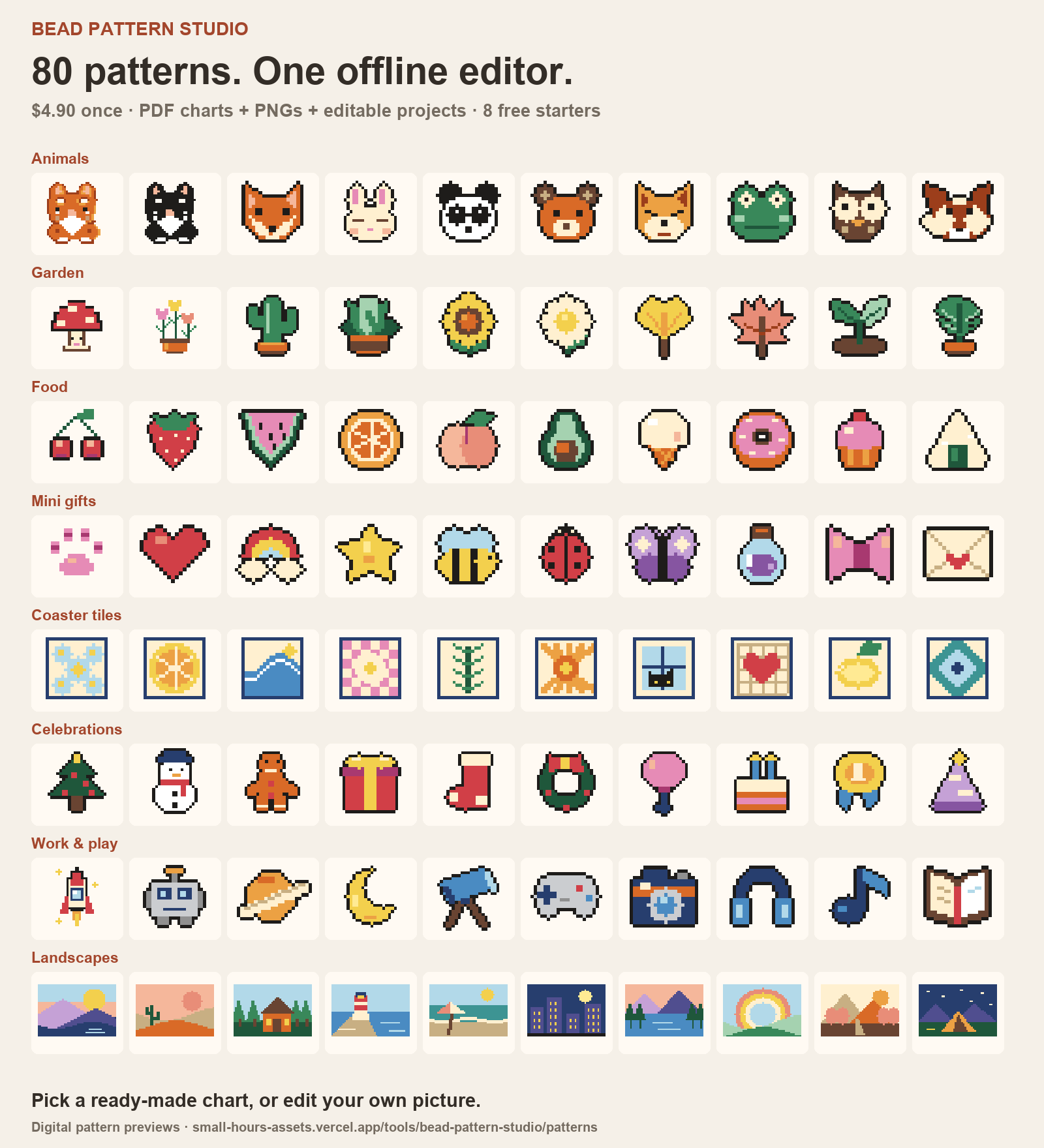
80 patterns included. Find one you want to make.
Animals, garden, food, mini gifts, coaster tiles, celebrations, work & play and landscapes: 10 patterns in each theme. Browse all 80 before buying. The original 8 starters stay free, with PDFs, PNGs and editable files.
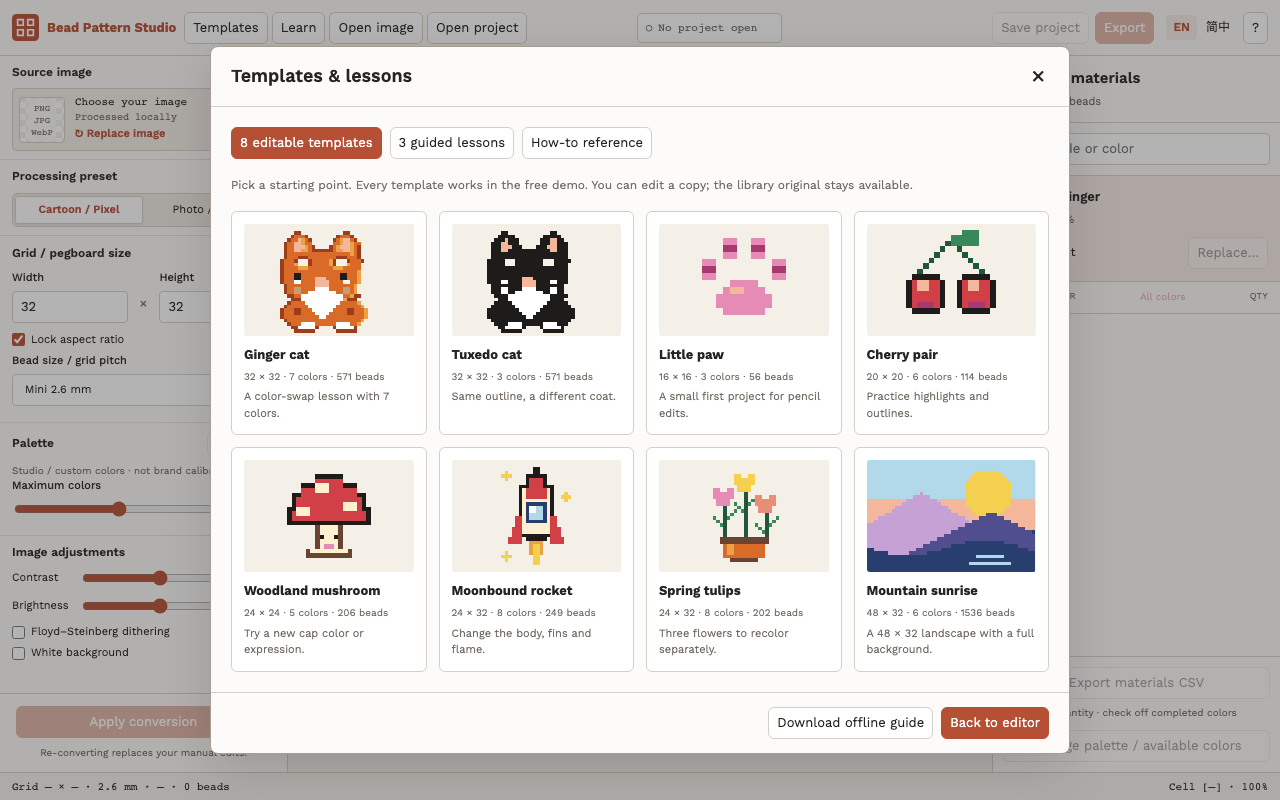
Start with a template. Learn by doing.
All 8 editable templates and 3 guided lessons are included in the free demo. Click Templates or Learn in the editor top bar. Each lesson advances after you complete the action.
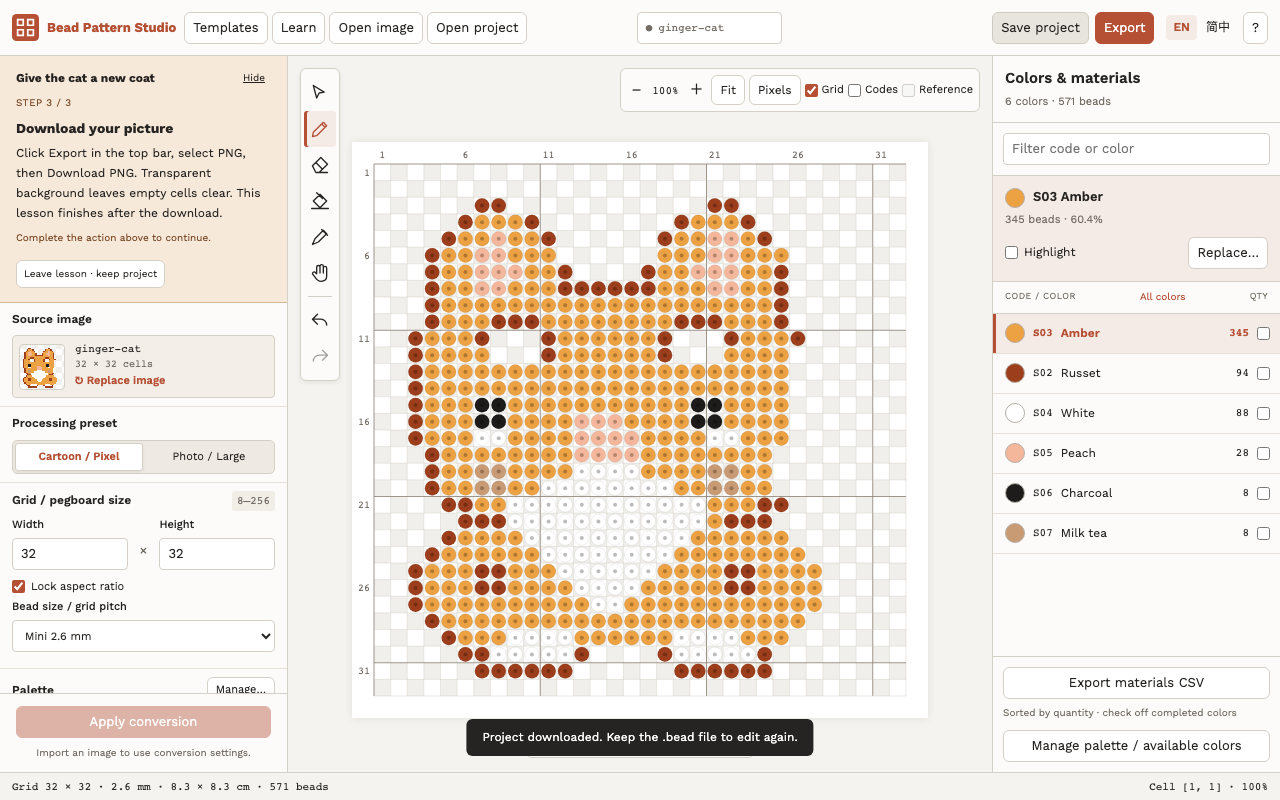
From picture to pattern in three steps
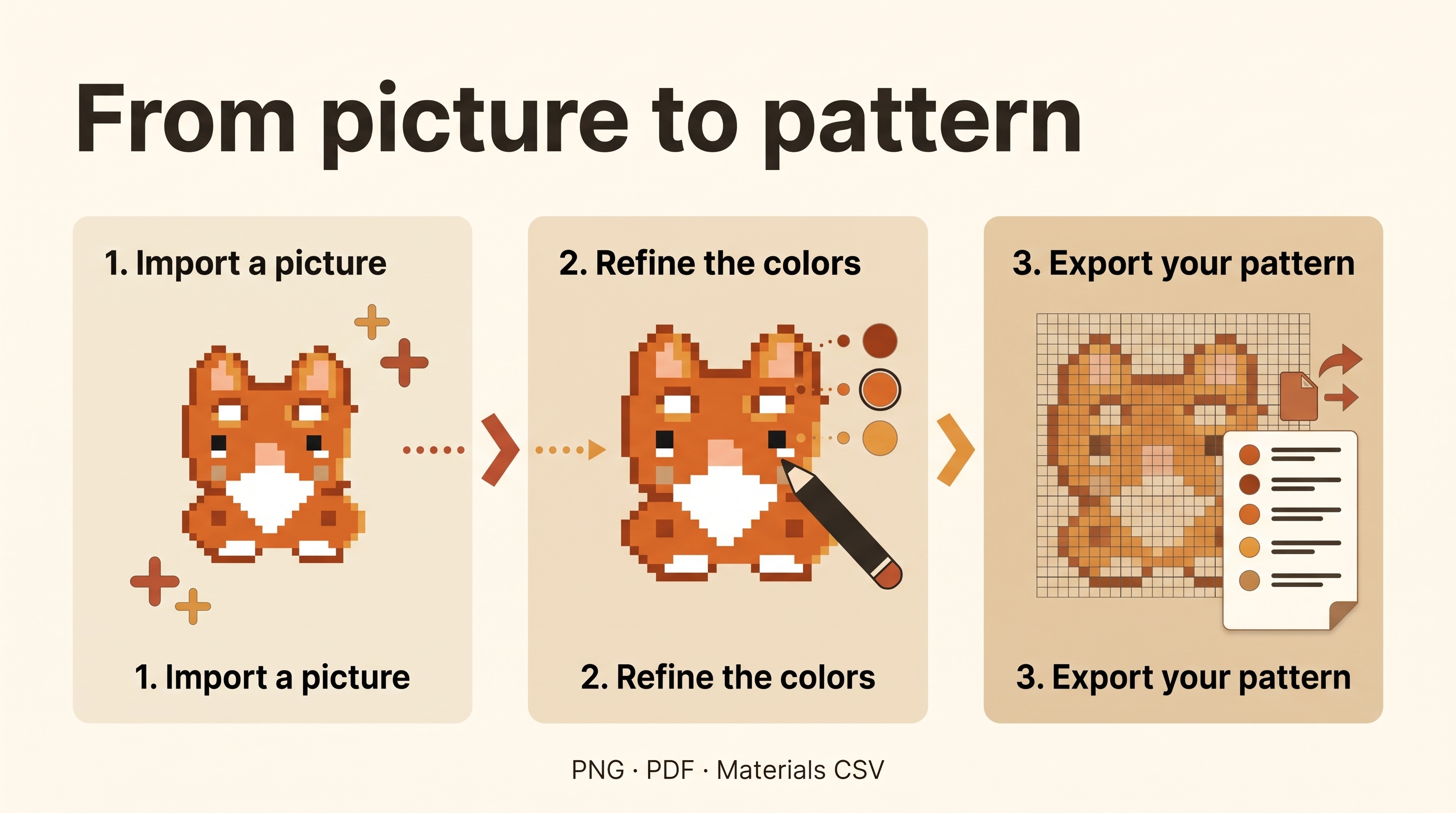
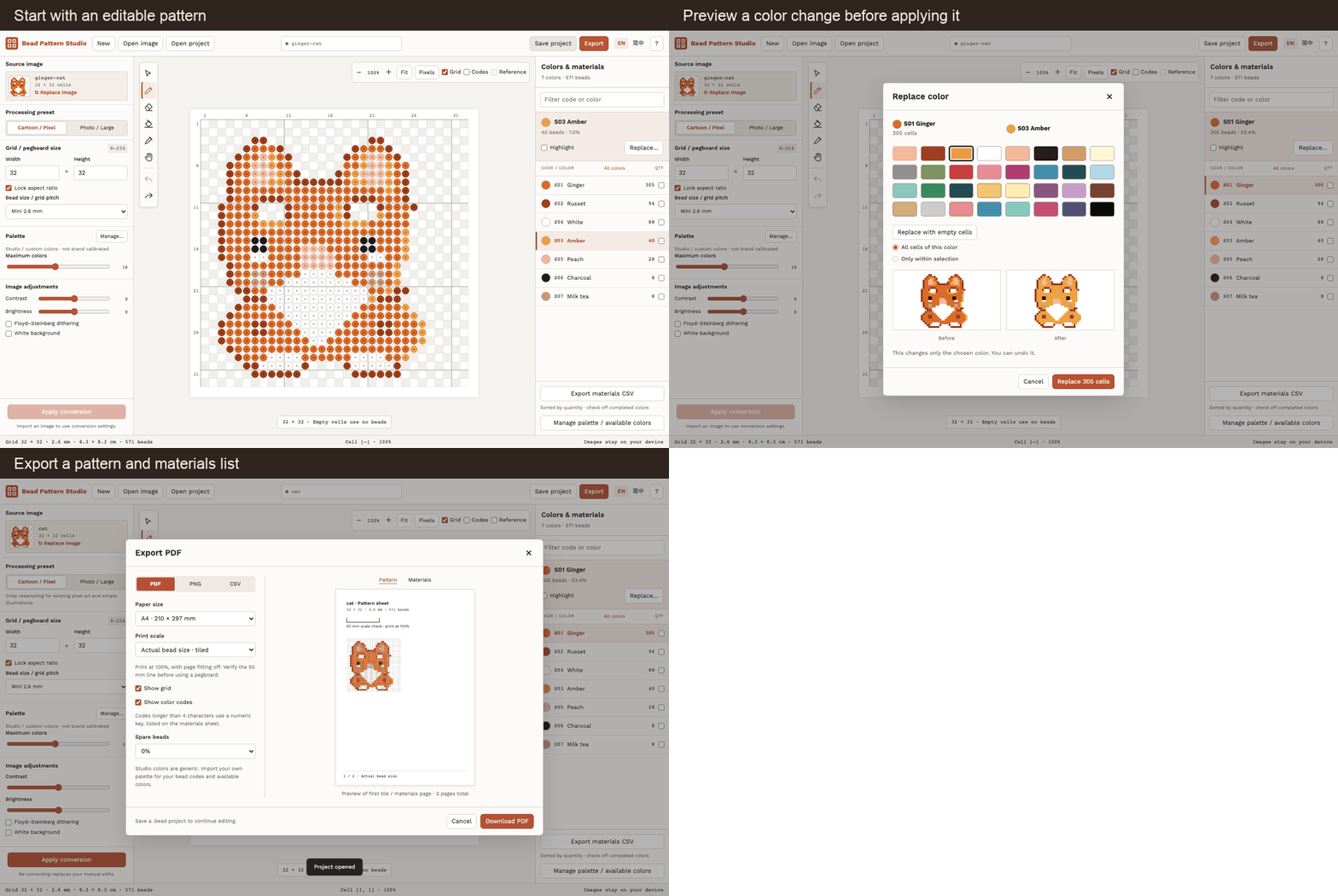
- Import: Open PNG, JPG or WebP, crop the picture, set the grid and limit the colors.
- Refine: Draw, erase, fill, or preview a color swap. Import your own palette and exclude colors you do not have.
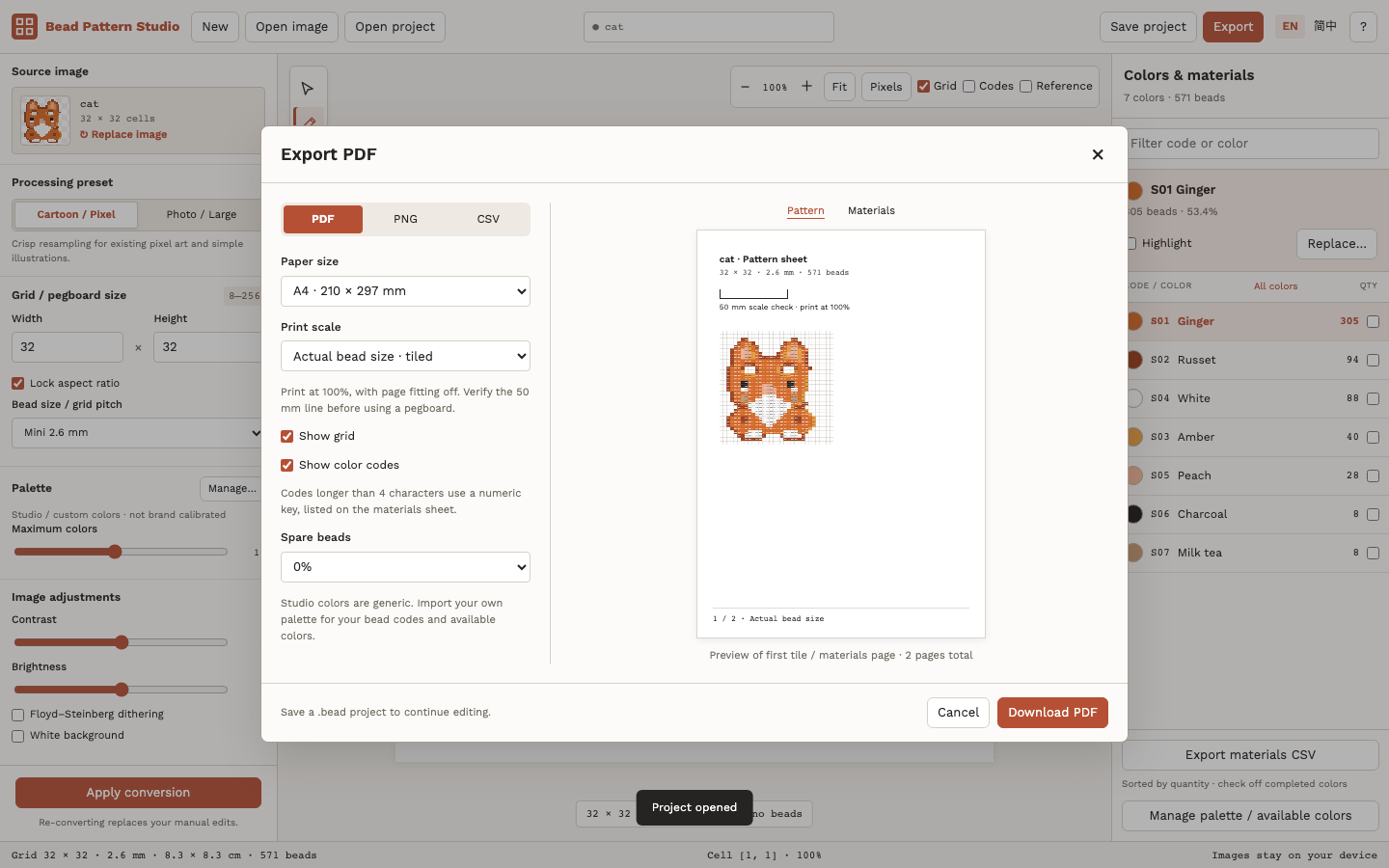
- Export: Save a PNG, a printable PDF, or a materials CSV. Keep a .bead project to continue editing later.
See the real editor
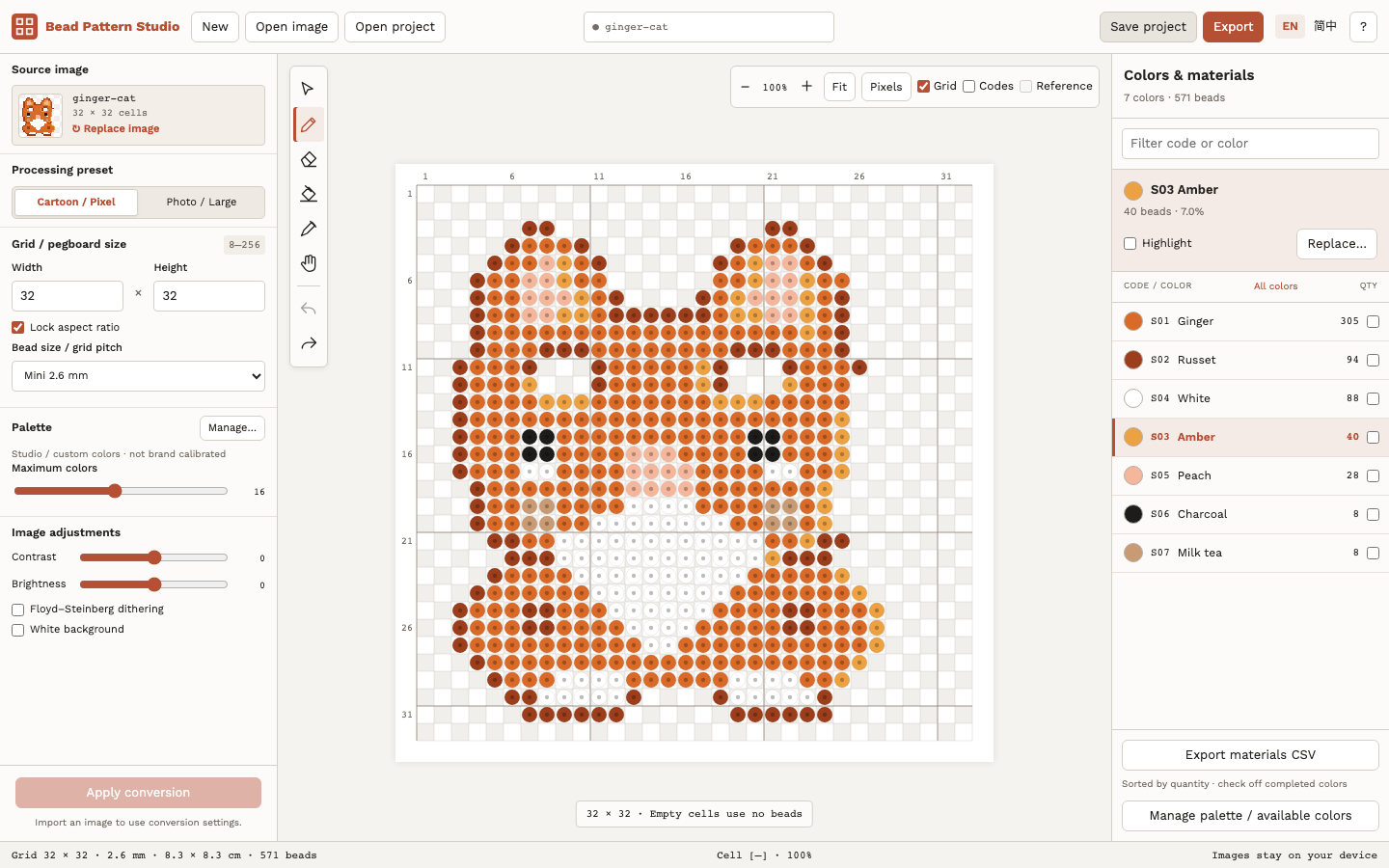
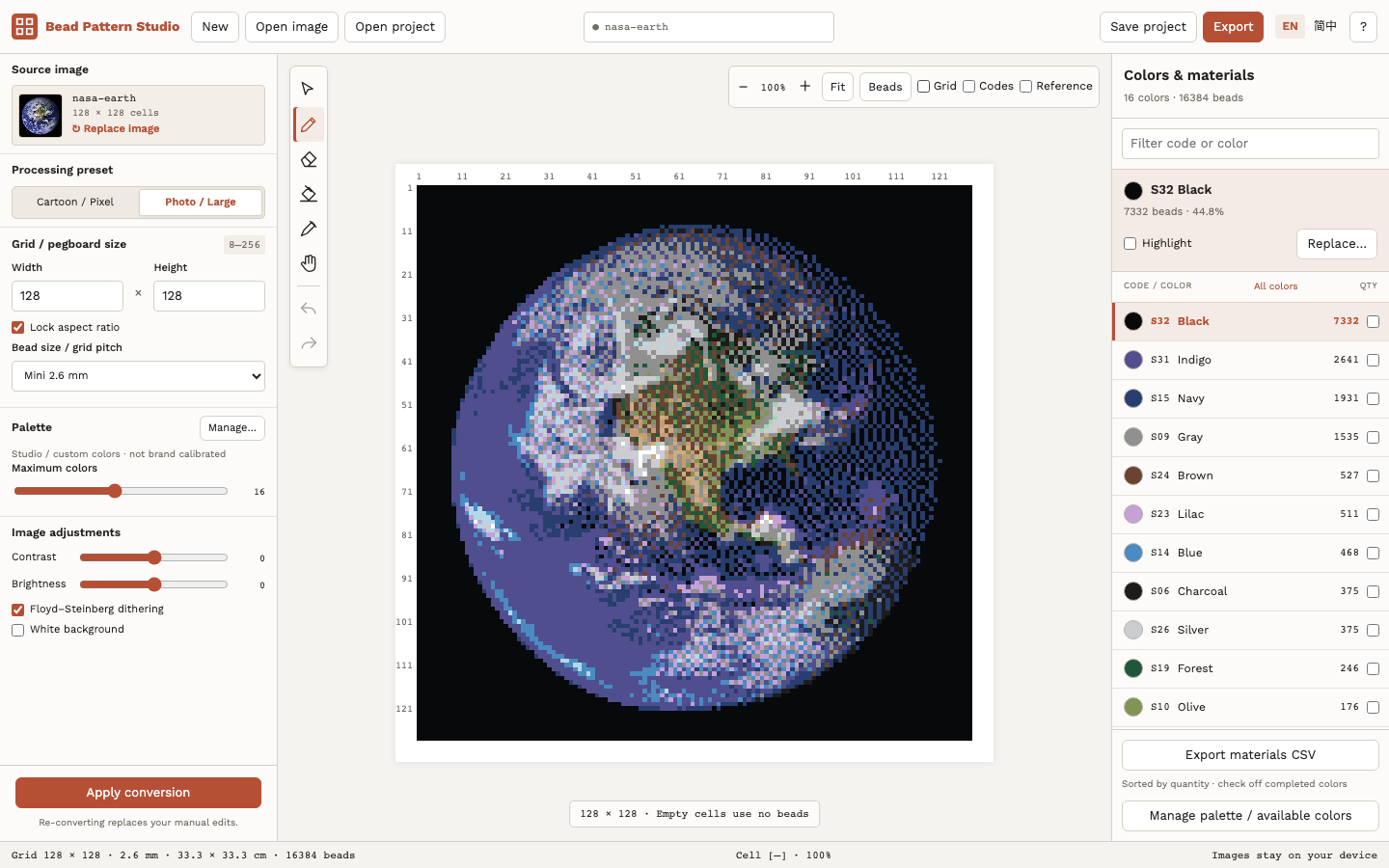
Clean up individual cells with the pencil, eraser, fill and eyedropper. Select a region for local edits, switch between bead and pixel views, and undo or redo changes. Highlight one color and check it off as you finish.
Small characters. Bigger mosaics.
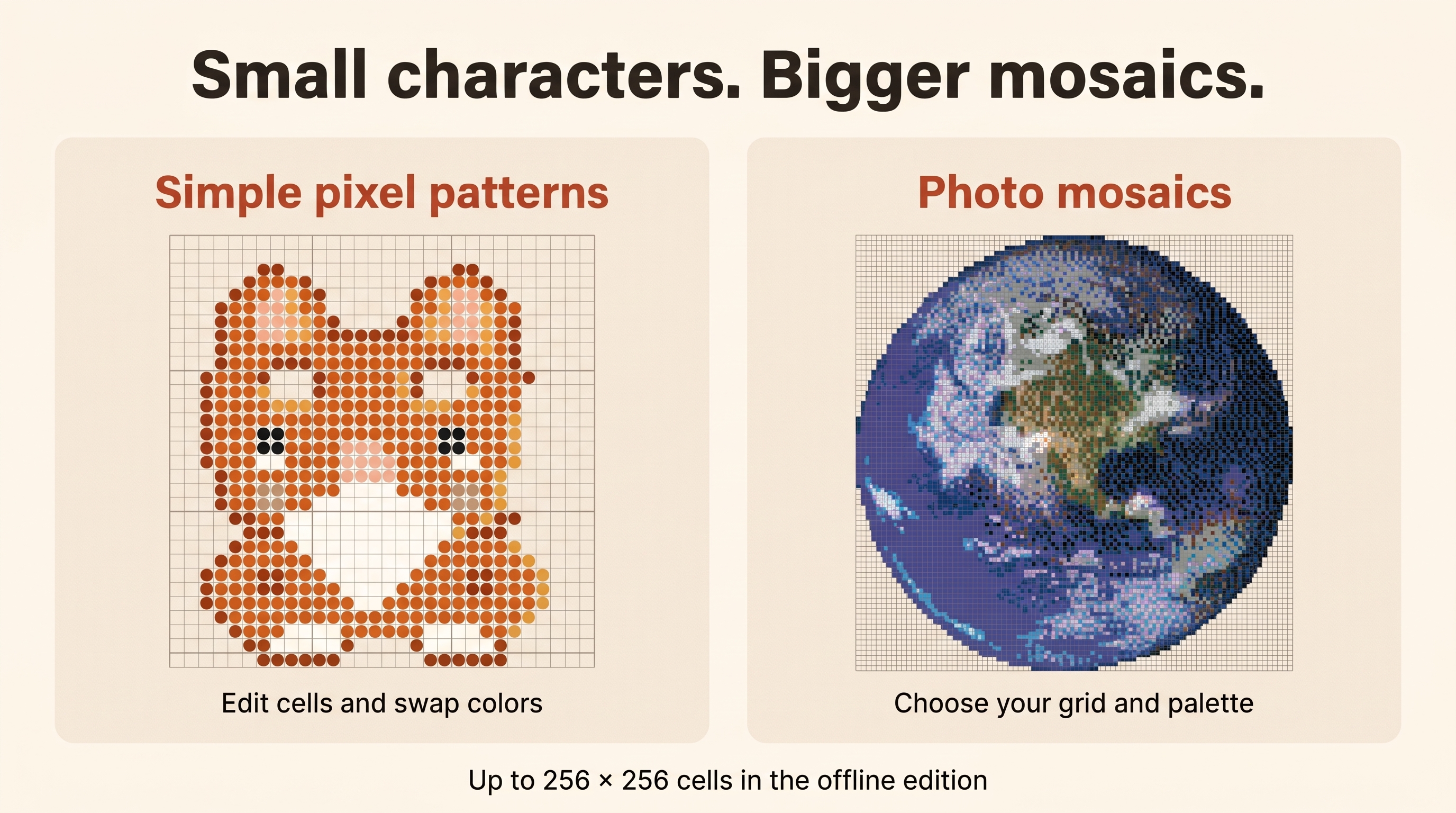
Try a compact pixel pattern in the free demo, or use up to 256 × 256 cells for a larger mosaic in the offline edition.
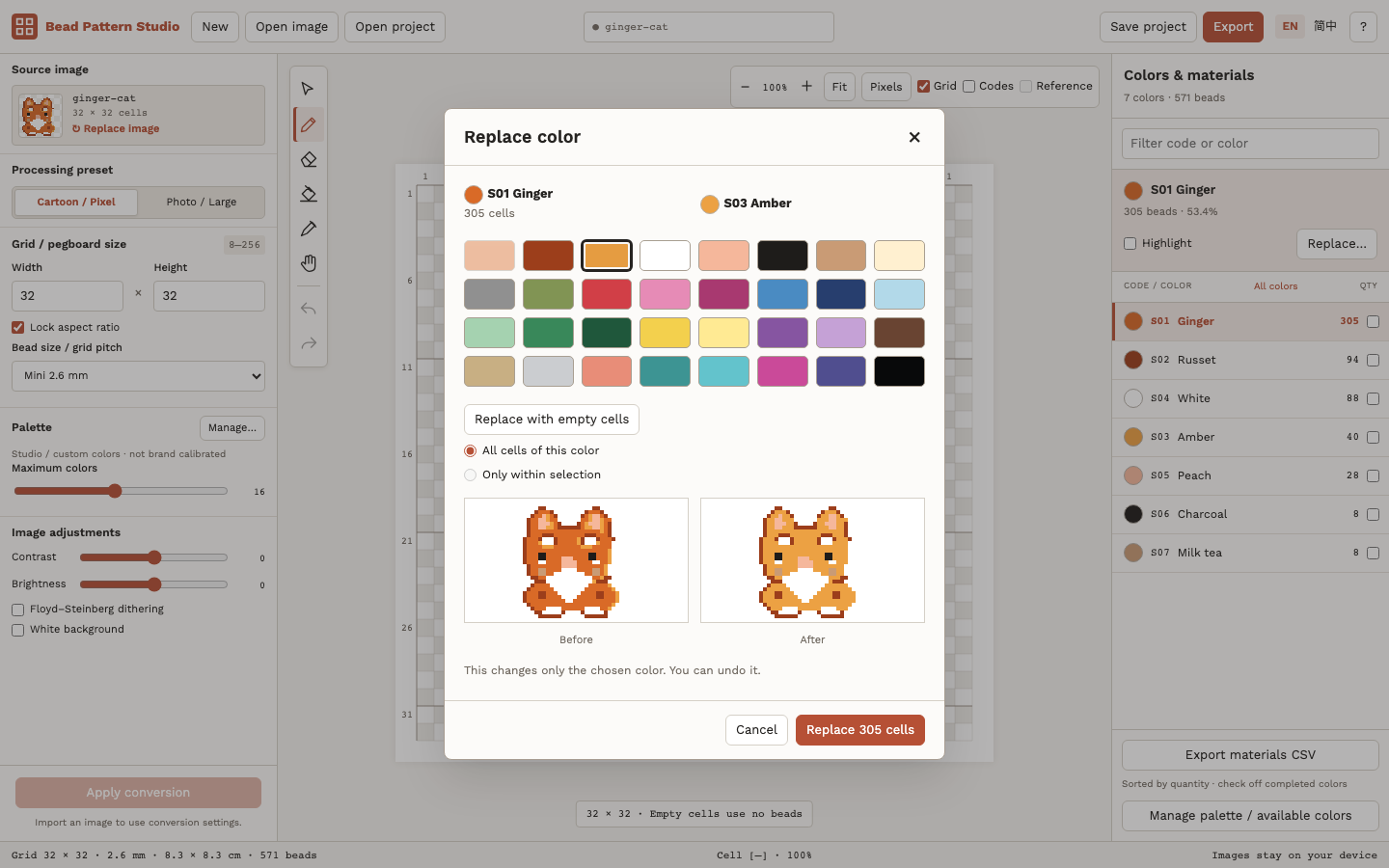
Change a color you do not have
Make a larger photo mosaic
Take the pattern to your worktable
Free demo or offline edition?
Try the editable example or import your own picture before buying. The demo supports PNG export and editable project saving. Demo projects also open in the full edition.
The $4.90 USD download includes the offline editor and all 80 patterns: 80 editable projects, matching PNGs, color-count CSVs and 160 ready-made A4 PDFs (5 mm and 2.6 mm). It also includes 3 guided lessons, illustrated English and Simplified Chinese guides, a palette CSV template, license and notices. Unzip and open START-PATTERNS.html to pick a chart, or index.html to edit.
Images are processed locally, with no account, cloud AI, image-upload service or in-app analytics. The downloaded edition needs no internet or activation. itch.io hosts the demo and handles purchases.
What is included?
| Included | Free demo | $4.90 USD offline |
|---|---|---|
| Maximum grid | 48 × 48 | 256 × 256 |
| Editing, palettes, color replacement | Yes | Yes |
| Save / reopen .bead | Yes | Yes |
| PNG export | Yes | Yes |
| Tiled PDF / materials CSV | No | Yes |
Watch the actual workflow
Before starting a large project
Studio colors are generic RGB, not measured bead-brand colors. Import your own palette and compare with real beads. A4 or US Letter PDF supports nominal 2.6 / 5 mm pitch, tiling, fit-to-page and a materials sheet. Print at 100% with fitting off and measure the 50 mm calibration line. Physical printer and ironed-bead results have not been tested.
Verified in desktop Chromium. Keyboard and pointer required. Minimum window 1280 × 800; no mobile editor or native installer. PNG export supports up to 4096 pixels per side. CSV preserves Unicode color names; PDF materials use codes and hex values.
Use terms and credits
Create original personal or commercial patterns when you have rights to the input images. Software redistribution is restricted. Code, interface, sample art and documentation used AI assistance; promotional illustrations used Gemini. Actual screenshots are labelled. The editor has no generative AI feature. This is a separate craft tool, not a game-asset pack.